

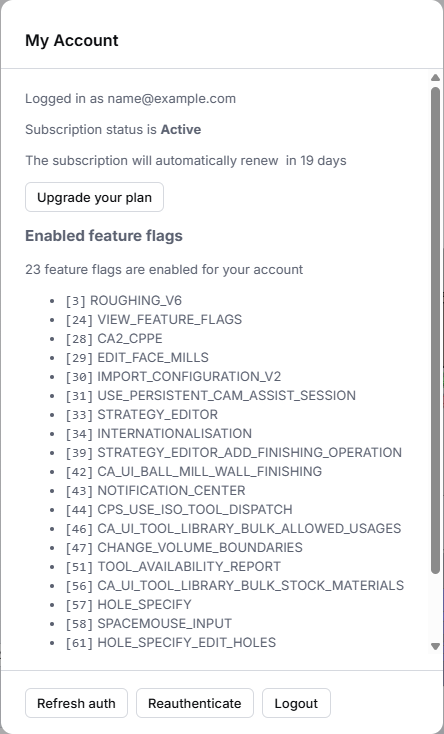
My Account shows the email you're signed in with and your subscription status, and lets you log out.
Open it
- Click Account (person icon) in the header at the top of the window.
- Click My Account.
What it shows
| Item | What it means |
|---|---|
| Logged in as | The email address you signed in with. It must match the email your subscription is for. |
| Subscription status | Your plan's status and its renewal or end date, with a button to manage it. See Check your CAM Assist subscription. |
| Logout | Signs you out of CAM Assist. See Log out or sign in with a different email. |
A spinner shows while CAM Assist loads your subscription status.
Messages you might see
- Failed to fetch subscription status: CAM Assist couldn't get your status from CloudNC. Close My Account and open it again. Your access isn't affected by this message alone.