


CAM Assist for Autodesk Fusion
23 lessons-
1

What's new in CAM Assist 2.5
A walkthrough of CAM Assist 2.5, the guided update that makes AI assistance easier to use across a whole job.
-
2

CAM Assist 2.5 Tips & Tricks: Overview
Tips and tricks for the Overview stage of CAM Assist 2.5.
-
3

CAM Assist 2.5 Tips & Tricks: Assessment and Configuration Files
Tips and tricks for the Assessment stage and configuration files in CAM Assist 2.5.
-
4

CAM Assist 2.5 Tips & Tricks: Setups
Tips and tricks for the Setups stage of CAM Assist 2.5.
-
5

CAM Assist 2.5 Tips & Tricks: Feature Planning
Tips and tricks for the Feature planning stage of CAM Assist 2.5.
-
6
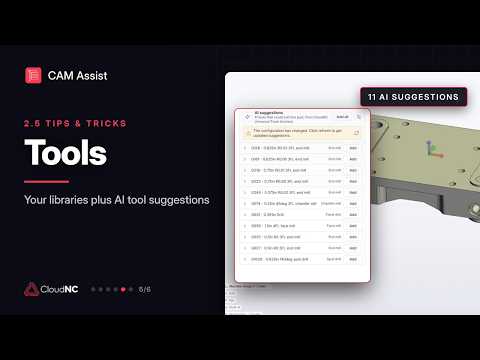
CAM Assist 2.5 Tips & Tricks: Tools
Tips and tricks for the Tools stage of CAM Assist 2.5.
-
7

CAM Assist 2.5 Tips & Tricks: Program View
Tips and tricks for the Program view in CAM Assist 2.5.
-
8

Setting up your Part
-
9

How to add tools in CAM Assist for Fusion
-
10

How to organize my tools in CAM Assist for Fusion
-
11

How to set up tool presets in CAM Assist for Fusion
-
12
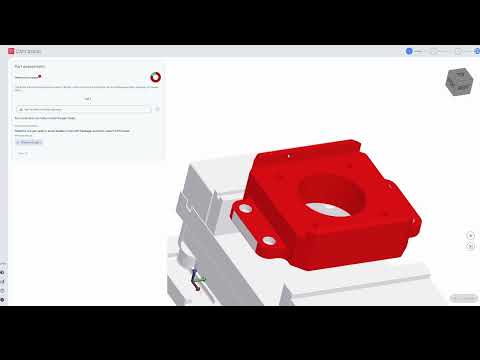
Assess Phase Issues - how to fix a part that is not contained within the stock
-
13

Resolving a part lying outside of stock issue in the Assess Phase
-
14

Resolving a pre-finished surface issue in the Assess Phase
-
15

Resolving Part Meshing issues in the Assess Phase
-
16

Resolving Stock Meshing issues in the Assess Phase
-
17

Resolving Surface Gap issues in the Assess Phase
-
18

How to use the User Defined 3+2 Options in CAM Assist
-
19

Programming Bottom Fillets using CAM Assist
-
20

Surface Splitting and CAM Assist
-
21

Understanding Session tools vs tool libraries
-
22

Workholding Awareness
-
23

Using the Soft Jaw Designer in CAM Assist for Fusion

CAM Assist for Mastercam
22 lessons-
1
What's new in CAM Assist 2.5
A walkthrough of CAM Assist 2.5, the guided update that makes AI assistance easier to use across a whole job.
-
2
CAM Assist 2.5 Tips & Tricks: Overview
Tips and tricks for the Overview stage of CAM Assist 2.5.
-
3
CAM Assist 2.5 Tips & Tricks: Assessment and Configuration Files
Tips and tricks for the Assessment stage and configuration files in CAM Assist 2.5.
-
4
CAM Assist 2.5 Tips & Tricks: Setups
Tips and tricks for the Setups stage of CAM Assist 2.5.
-
5
CAM Assist 2.5 Tips & Tricks: Feature Planning
Tips and tricks for the Feature planning stage of CAM Assist 2.5.
-
6
CAM Assist 2.5 Tips & Tricks: Tools
Tips and tricks for the Tools stage of CAM Assist 2.5.
-
7
CAM Assist 2.5 Tips & Tricks: Program View
Tips and tricks for the Program view in CAM Assist 2.5.
-
8

Setting up my part
-
9

How to add tools in CAM Assist for Mastercam
-
10

How to organize your tools in CAM Assist for Mastercam
-
11

How to setup your presets in CAM Assist for Mastercam
-
12

The Differences between Cut Parameters and Tool Data
-
13

Assess Phase Issues in Mastercam - resolving the part not being contained within stock
-
14
Assess Phase Issues - how to fix a part that is not contained within the stock
-
15

Resolving stock meshing issues in the Assess Phase
-
16

Resolving surface gaps in your part in the Assess Phase
-
17

Fixing Contour Issues
-
18
How to use the User Defined 3+2 Options in CAM Assist
-
19
Programming Bottom Fillets using CAM Assist
-
20
Surface Splitting and CAM Assist
-
21
Understanding Session tools vs tool libraries
-
22
Workholding Awareness

CAM Assist for Siemens NX
16 lessons-
1
What's new in CAM Assist 2.5
A walkthrough of CAM Assist 2.5, the guided update that makes AI assistance easier to use across a whole job.
-
2
CAM Assist 2.5 Tips & Tricks: Overview
Tips and tricks for the Overview stage of CAM Assist 2.5.
-
3
CAM Assist 2.5 Tips & Tricks: Assessment and Configuration Files
Tips and tricks for the Assessment stage and configuration files in CAM Assist 2.5.
-
4
CAM Assist 2.5 Tips & Tricks: Setups
Tips and tricks for the Setups stage of CAM Assist 2.5.
-
5
CAM Assist 2.5 Tips & Tricks: Feature Planning
Tips and tricks for the Feature planning stage of CAM Assist 2.5.
-
6
CAM Assist 2.5 Tips & Tricks: Tools
Tips and tricks for the Tools stage of CAM Assist 2.5.
-
7
CAM Assist 2.5 Tips & Tricks: Program View
Tips and tricks for the Program view in CAM Assist 2.5.
-
8
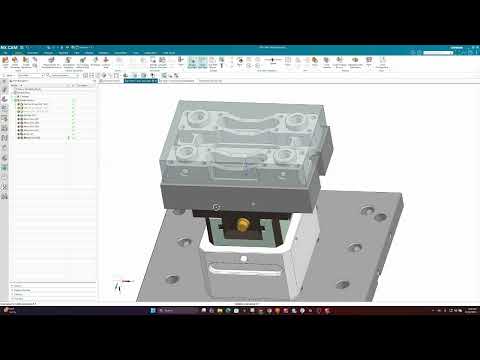
Setting up your Part
-
9

How to upload tools in CAM Assist for Siemens NX
-
10
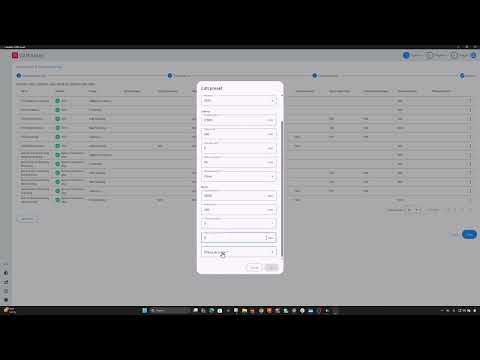
How to Setup Presets in CAM Assist for Siemens NX
-
11
Assess Phase Issues - how to fix a part that is not contained within the stock
-
12
How to use the User Defined 3+2 Options in CAM Assist
-
13
Programming Bottom Fillets using CAM Assist
-
14
Surface Splitting and CAM Assist
-
15
Understanding Session tools vs tool libraries
-
16
Workholding Awareness

CAM Assist for SolidCAM
13 lessons-
1
What's new in CAM Assist 2.5
A walkthrough of CAM Assist 2.5, the guided update that makes AI assistance easier to use across a whole job.
-
2
CAM Assist 2.5 Tips & Tricks: Overview
Tips and tricks for the Overview stage of CAM Assist 2.5.
-
3
CAM Assist 2.5 Tips & Tricks: Assessment and Configuration Files
Tips and tricks for the Assessment stage and configuration files in CAM Assist 2.5.
-
4
CAM Assist 2.5 Tips & Tricks: Setups
Tips and tricks for the Setups stage of CAM Assist 2.5.
-
5
CAM Assist 2.5 Tips & Tricks: Feature Planning
Tips and tricks for the Feature planning stage of CAM Assist 2.5.
-
6
CAM Assist 2.5 Tips & Tricks: Tools
Tips and tricks for the Tools stage of CAM Assist 2.5.
-
7
CAM Assist 2.5 Tips & Tricks: Program View
Tips and tricks for the Program view in CAM Assist 2.5.
-
8
Assess Phase Issues - how to fix a part that is not contained within the stock
-
9
How to use the User Defined 3+2 Options in CAM Assist
-
10
Programming Bottom Fillets using CAM Assist
-
11
Surface Splitting and CAM Assist
-
12
Understanding Session tools vs tool libraries
-
13
Workholding Awareness

CAM Assist for GibbsCAM
22 lessons-
1
What's new in CAM Assist 2.5
A walkthrough of CAM Assist 2.5, the guided update that makes AI assistance easier to use across a whole job.
-
2
CAM Assist 2.5 Tips & Tricks: Overview
Tips and tricks for the Overview stage of CAM Assist 2.5.
-
3
CAM Assist 2.5 Tips & Tricks: Assessment and Configuration Files
Tips and tricks for the Assessment stage and configuration files in CAM Assist 2.5.
-
4
CAM Assist 2.5 Tips & Tricks: Setups
Tips and tricks for the Setups stage of CAM Assist 2.5.
-
5
CAM Assist 2.5 Tips & Tricks: Feature Planning
Tips and tricks for the Feature planning stage of CAM Assist 2.5.
-
6
CAM Assist 2.5 Tips & Tricks: Tools
Tips and tricks for the Tools stage of CAM Assist 2.5.
-
7
CAM Assist 2.5 Tips & Tricks: Program View
Tips and tricks for the Program view in CAM Assist 2.5.
-
8

Setting up my part
-
9

How to add tools in CAM Assist for GibbsCAM
-
10

How to organize you tools in CAM Assist for GibbsCAM
-
11

How to setup your tool presets in CAM Assist for GibbsCAM
-
12
Assess Phase Issues - how to fix a part that is not contained within the stock
-
13

Resolving a part lying outside of stock issue in the Assess Phase
-
14

Resolving a pre-finished surface issue in the Assess Phase
-
15

Resolving Part Meshing issues in the Assess Phase
-
16

Resolving Stock Meshing issues in the Assess Phase
-
17

Resolving Surface Gap issues in the Assess Phase
-
18
How to use the User Defined 3+2 Options in CAM Assist
-
19
Programming Bottom Fillets using CAM Assist
-
20
Surface Splitting and CAM Assist
-
21
Understanding Session tools vs tool libraries
-
22
Workholding Awareness